
DiDi runs inside Alipay. You enter your pickup point and destination, choose a car, track its arrival and pay for the ride. Here is how to book your first trip in mainland China.
Before you start
You will need an Alipay account, an available payment method and mobile internet. Save your hotel’s name—or the name of another destination—in Chinese. You can usually find it in your booking confirmation or ask the reception desk.
You do not have to add money to your Alipay balance in advance. A linked overseas bank card may work for payment. Check it in your wallet before booking your first ride. Russian-issued Visa and Mastercard cards do not work abroad through their international networks; other cards depend on the issuing bank and the service’s conditions. Overseas card payment terms, Visa, Mastercard.
This guide uses English button names. Select English in Alipay if you want to use that language. For text that remains in Chinese, use Translate when available. The layout may change after app updates.
1. Find DiDi Travel
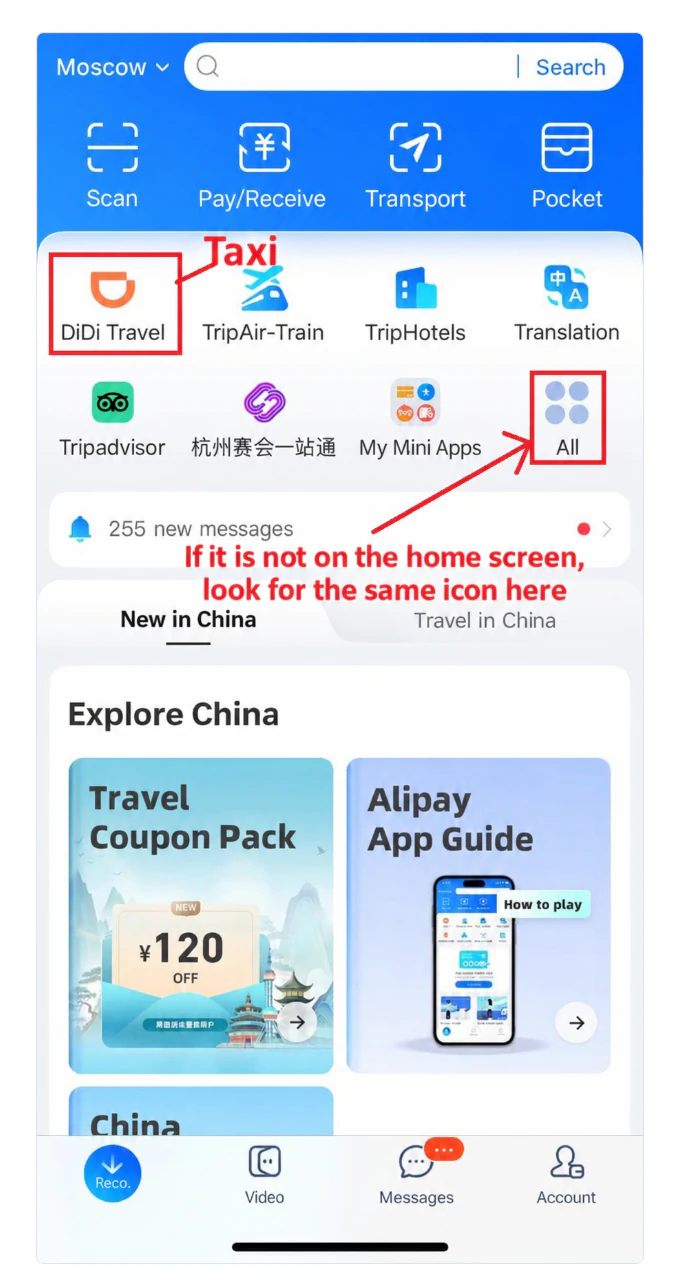
Open Alipay and tap DiDi Travel on the home screen. If you cannot see it, open All / More or search for DiDi. You can also copy and search for its Chinese name: 滴滴出行.
Choose the result with DiDi’s orange logo and a mini-program label. You do not need to install the separate DiDi app to use this option. Alipay also offers other ride services, so check the name rather than choosing anything labelled Taxi.
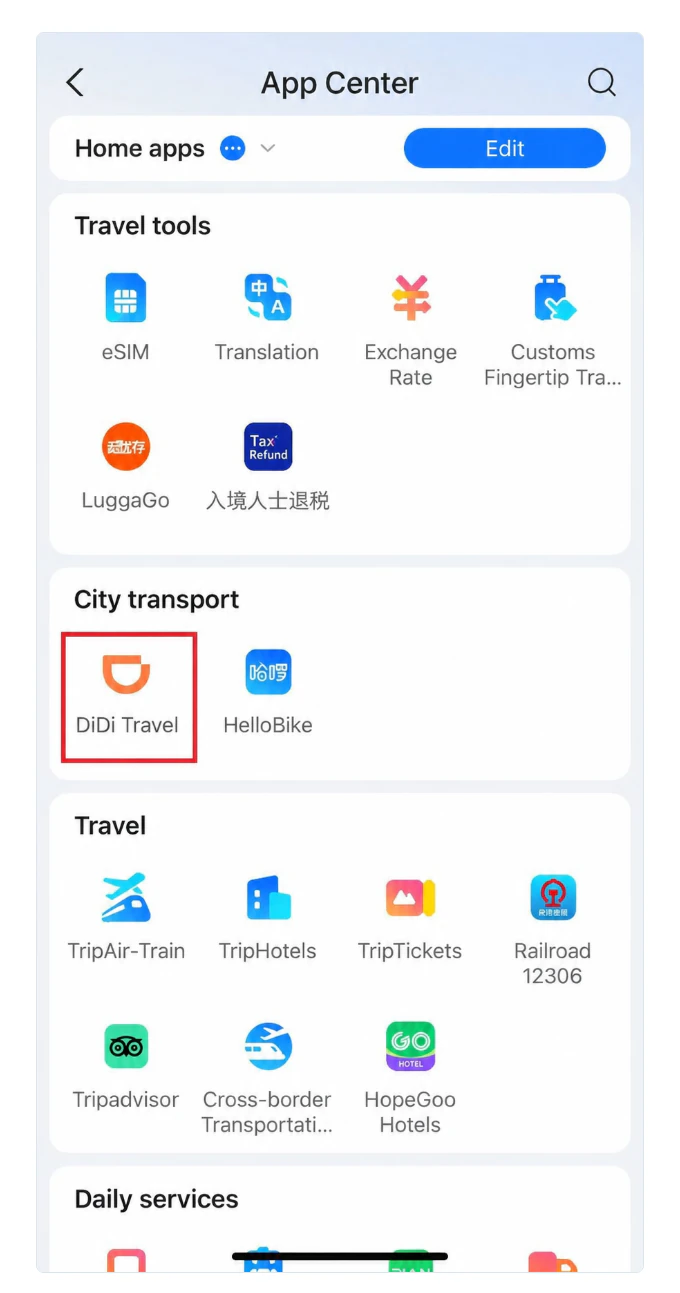
In the services list, find the city transport section and select DiDi Travel.
2. Complete the first sign-in
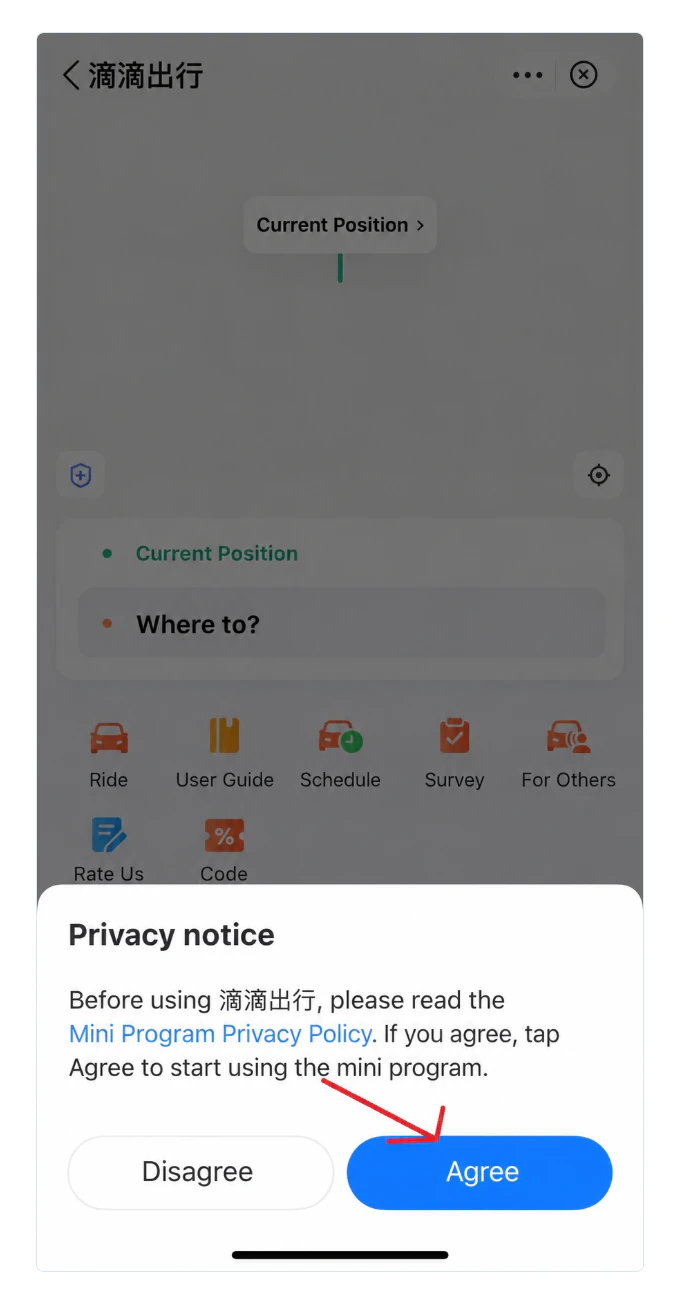
Read the service terms. If you accept them, tap Agree and sign in or confirm your details if prompted. Allow location access while using the app so it can suggest a pickup point.
3. Check your pickup point
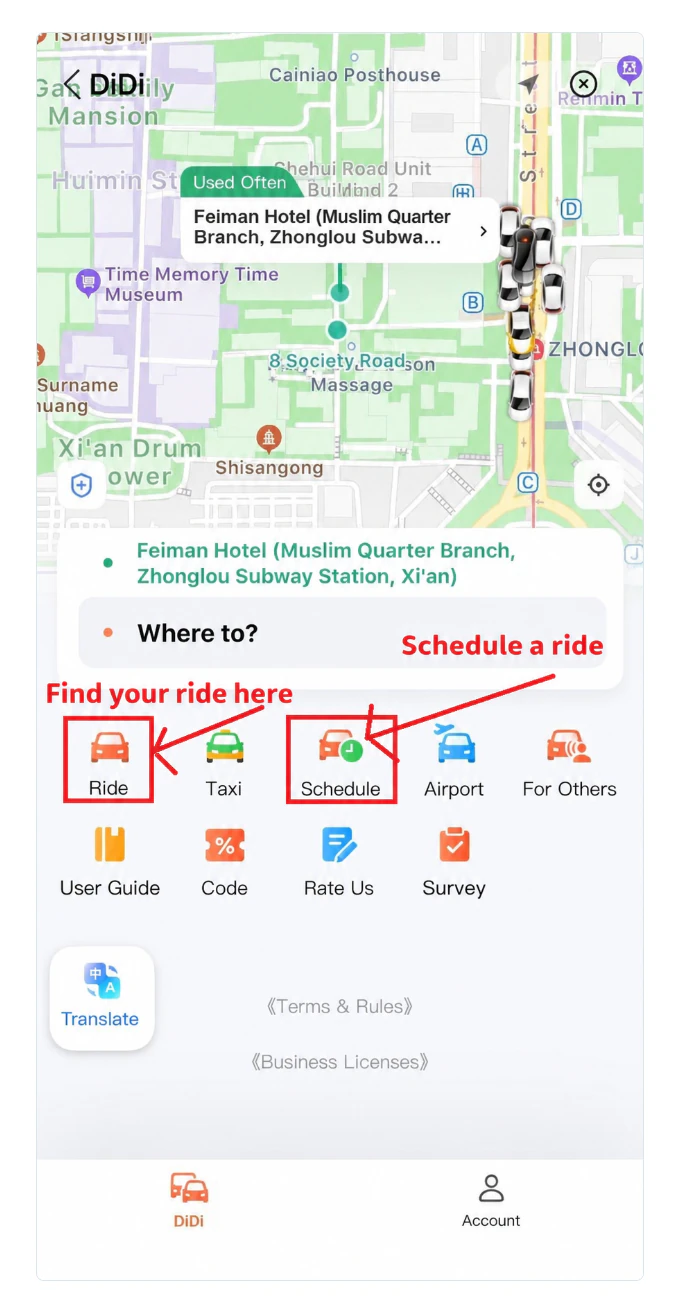
The green address line shows where the driver will pick you up. Tap it if you need to change the location—for example, to another hotel entrance or a pickup area at a railway station.
Check the map. The car needs to reach the same side of the street and the same exit where you will be waiting. Choose a suitable meeting point before requesting a ride. This is especially important at airports, where the ride-hailing pickup area may be separate from the regular taxi rank.
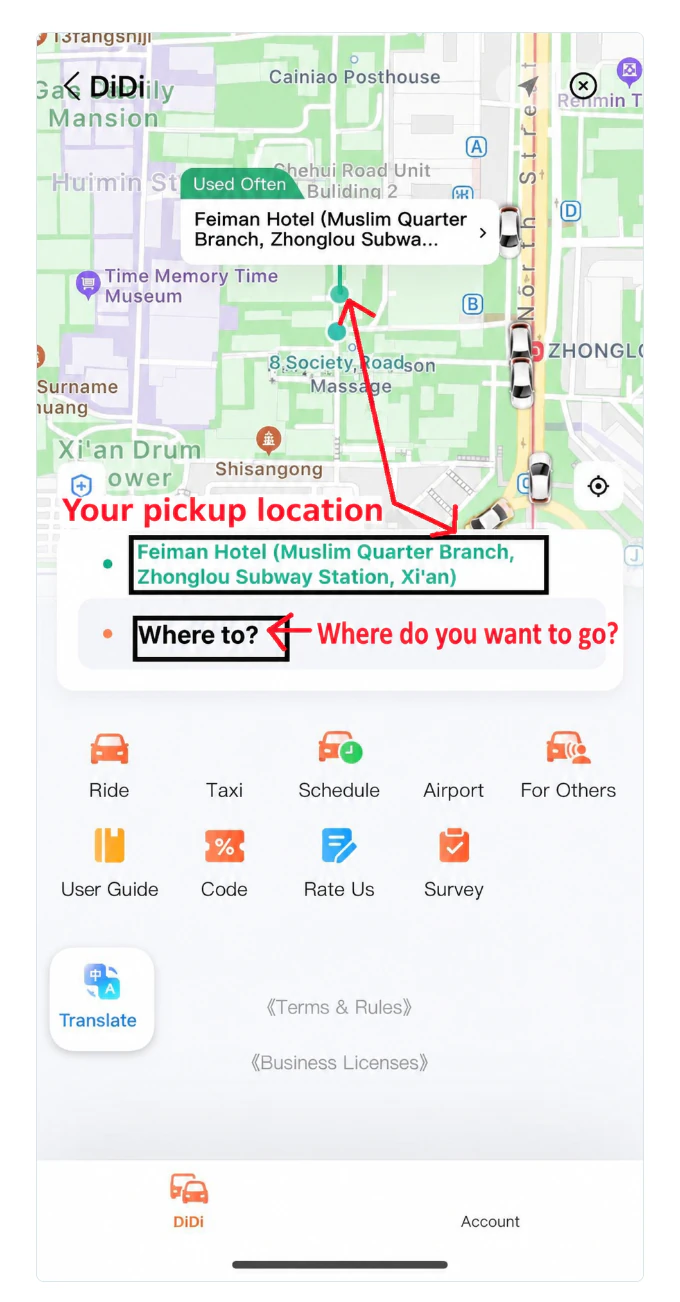
4. Enter your destination
Tap Where to? and enter the place name in English or Chinese. Check the city and address in the search results. Several hotels, shops or stops may share the same name.
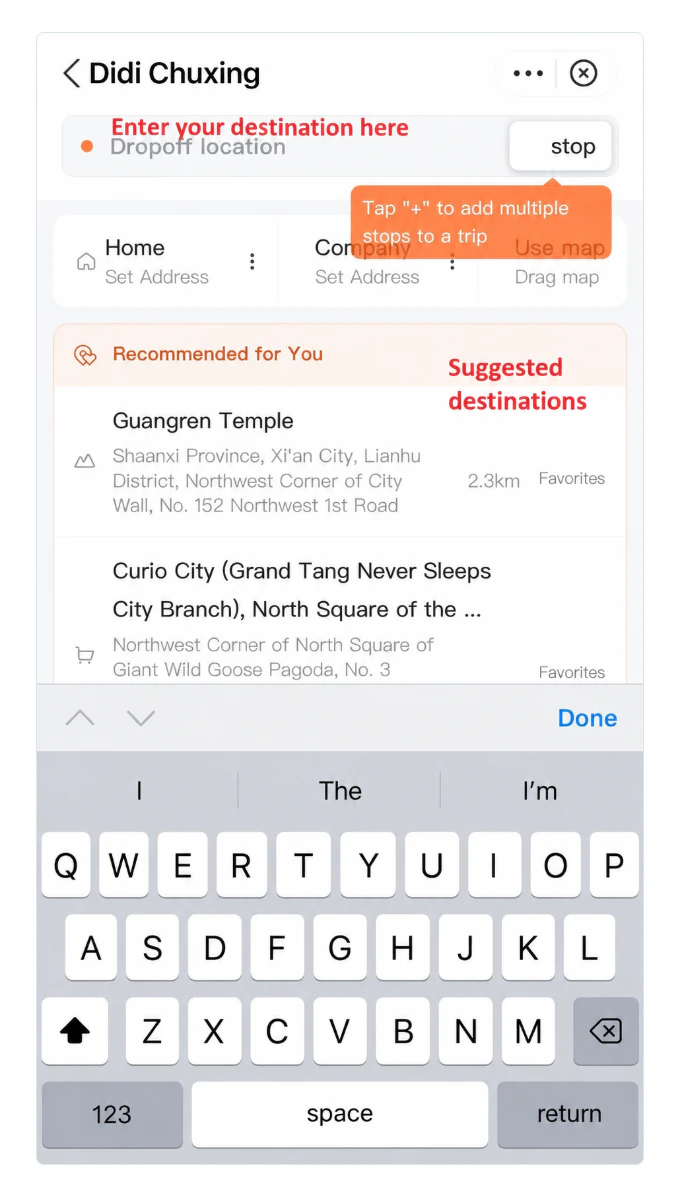
5. Choose the correct place and entrance
Large sites may have separate results for entrances, ticket offices and car parks. Choose the one you need. Look for labels such as Entrance / Gate, Ticket Office and Parking.
When you search using a Chinese name, the results may remain in Chinese. Compare the place name, address and listed entrances.
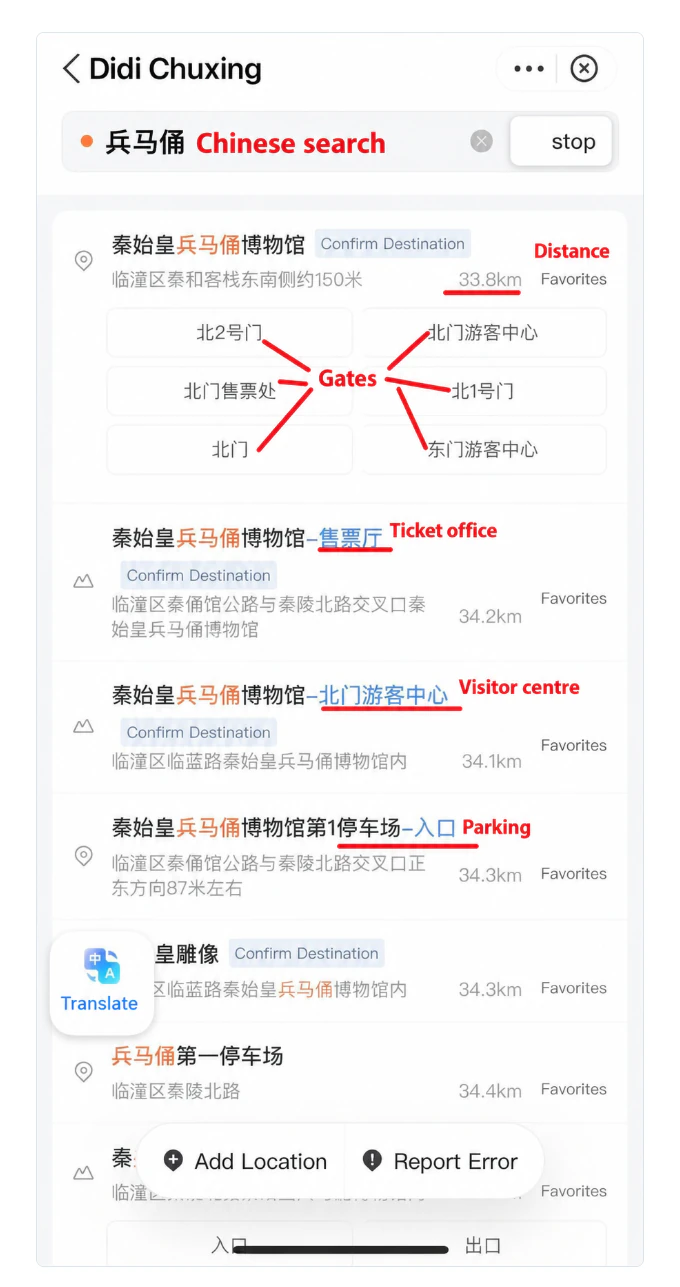
If translation is available, tap Translate or the translation button in the corner of the screen. Then check the name of your chosen entrance again.
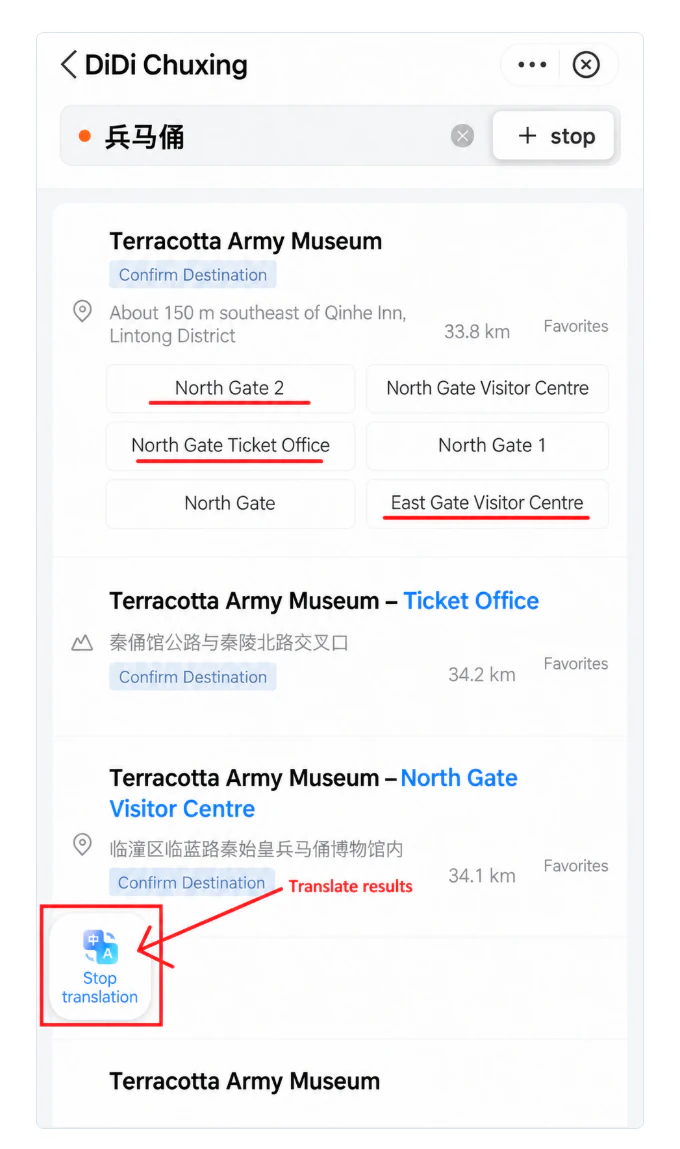
You can also search using the English name. Look for Gate, Ticket Office and Parking in the results.
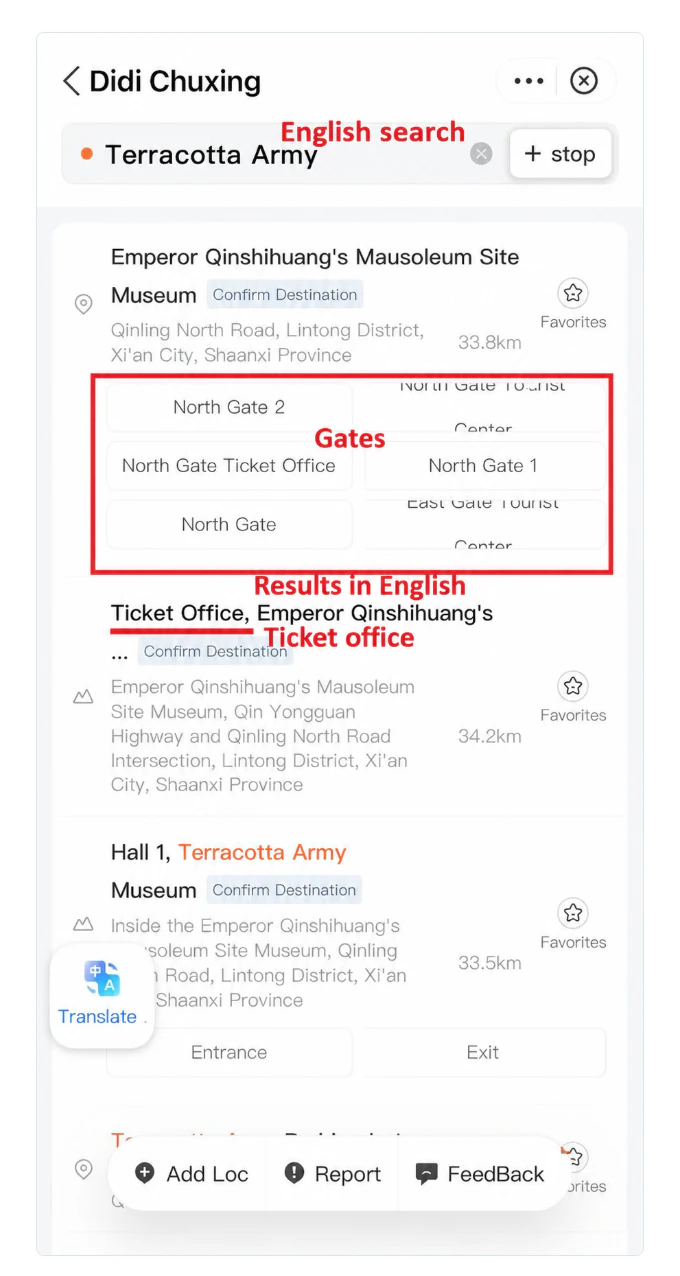
Do not choose the first result just because the name looks similar. If your group is travelling in several cars, agree on the same address and entrance beforehand. If you cannot find a place, try its Chinese name from your booking confirmation or a message from your host.
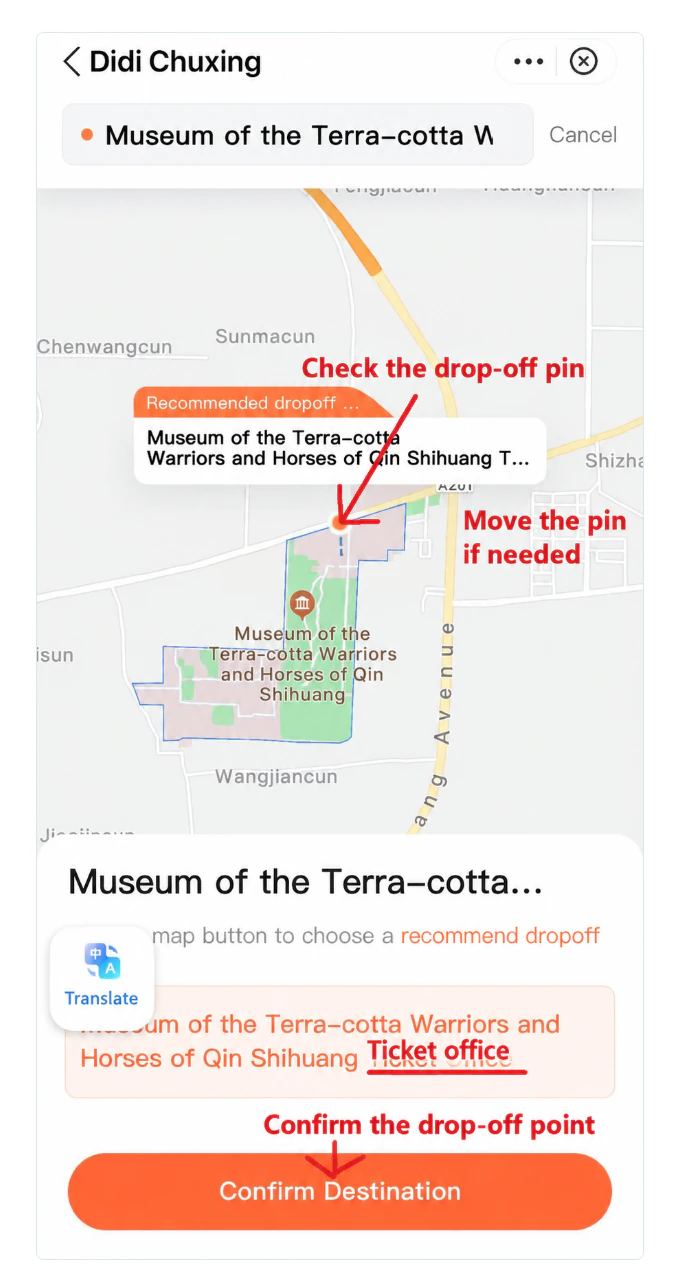
6. Confirm the point on the map
After selecting the address, check the drop-off pin and the label below the map. If the pin is at the wrong entrance, select another suggested point or adjust it on the map. Then tap Confirm Destination.
7. Choose a car and request the ride
DiDi will show the route, available car categories, waiting times and fares. The screen shown here includes Economy, Standard, Priority, Comfort Taxi, Taxi and Premium. Categories depend on the city and current availability. Compare the conditions before confirming.
You may see these labels beside a fare:
- Upfront Fare — the fare quoted for that option. Open the fare conditions to check for additional charges.
- Approx. / Est. — an estimated fare. The final amount may differ.
You can select several suitable categories. Check every selected row: you are agreeing to accept a car from any of those options, not just the cheapest one. If a price range appears at the bottom, it is not a single fixed fare.
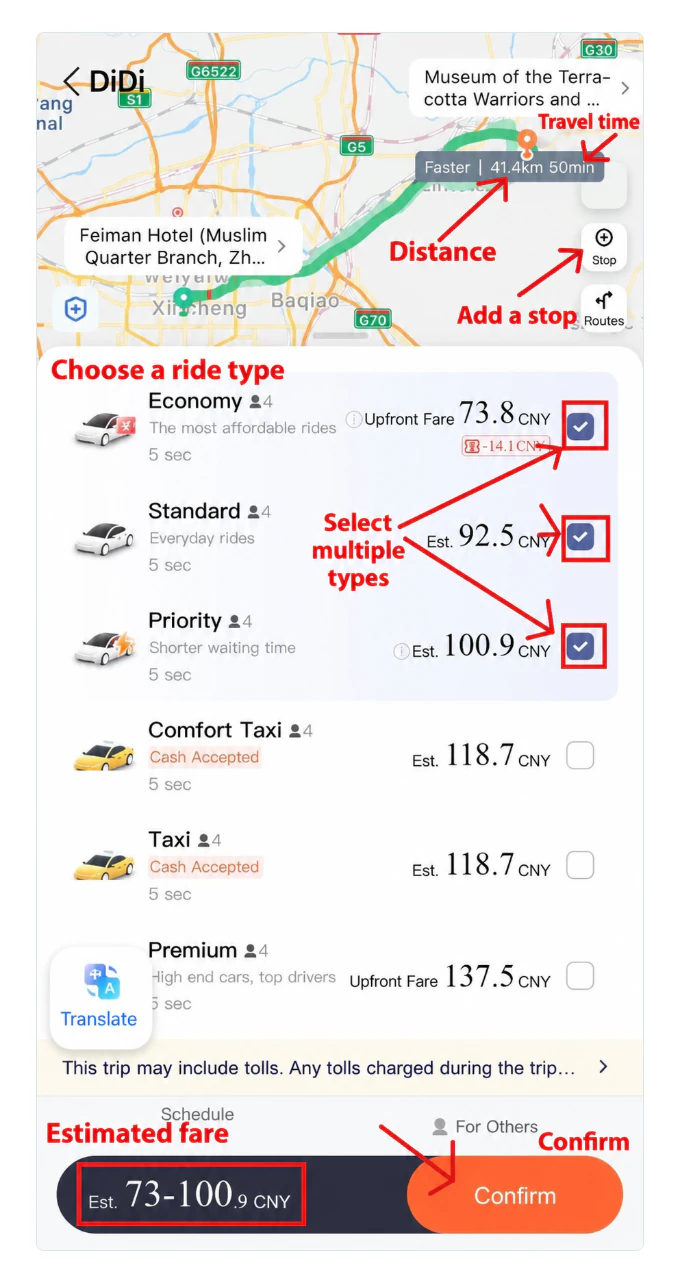
Before tapping Confirm, check the pickup point, destination and payment method again. Read any consent requests. Permission to share data does not, by itself, mean that automatic payment has been enabled.
Confirm when you are ready to go to the car. DiDi will then start looking for a driver.
8. Find your car and confirm the ride
Keep the booking screen open. Once a driver is assigned, check the licence plate, vehicle description and meeting point. Match the plate to the actual car before getting in.
If the driver cannot find you, use the chat or call option in the booking. Give a short, specific landmark: an entrance, exit, building or side of the street. For example: “I’m waiting at the main entrance.” If message translation is available, check that exit numbers are translated correctly.
When you get in, the driver may ask for the last four digits of the phone number used in DiDi. If the booking displays a separate ride code, use that instead. You can show the digits on your screen without speaking Chinese. Do not share your SMS sign-in code or payment password. Official DiDi instructions on the Shanghai government website.
If you need to cancel, read the warning before the final confirmation. Any cancellation fee depends on the booking’s conditions.
9. Pay and check the charge
The app may request payment confirmation when you book or after the ride. If automatic payment is enabled, you may not need to take any further action. Follow the status shown in your booking.
When the Alipay payment window appears:
- Check the amount and the selected card or other available payment source.
- Confirm payment using the method offered by the wallet.
- Check that the booking is marked as paid.
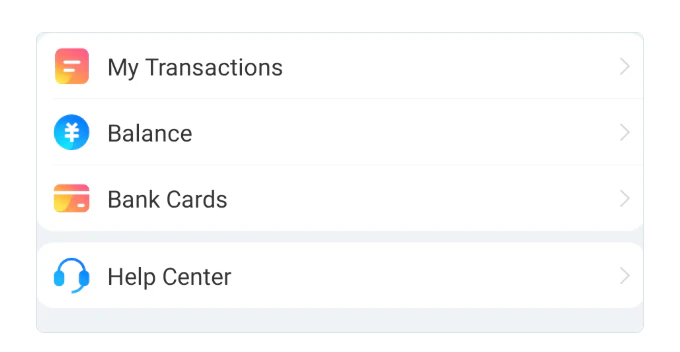
Find the transaction in Alipay under My Transactions / Bills. If the result is unclear, compare the wallet transaction with the DiDi booking status before paying again. Paying via the driver’s personal QR code does not replace payment through the booking.
For overseas card payments, amounts of up to and including RMB 200 are generally exempt from the platform fee. For amounts above RMB 200, a fee of 3% of the full amount may apply. Your bank’s exchange rate and fees are separate; check the total in the payment window. Overseas card payment terms.
Other useful options
Booking for a specific time. If Schedule is available in DiDi Travel, open it and enter the date, time and route. Read the pickup and cancellation conditions before confirming. Allow extra time when travelling to the airport.
A larger group or extra luggage. Check for a 6-Seater category if it is available. Confirm the passenger limit and luggage space. Ask separately about a child seat or space for a stroller or wheelchair.
Accidentally closed DiDi. Open it again through Alipay and return to Ride. If the active booking does not appear, check your trips under Account. Check the first booking before creating another one.
A fare question, route issue or lost item. Open the relevant trip and its help options in DiDi. If there is a problem with a charge, also check the payment in Alipay and contact the wallet’s support team.
Updated 2 October 2026. Screenshot text has been translated for this guide; labels may vary by app version.